

Table of Contents
ToggleArchitecture today goes far beyond drawing plans and elevations. Modern architects must deliver projects faster, with higher accuracy and fewer errors, as buildings become more complex, manual workflows slow teams down, and increase risks. This is why Revit Dynamo Scripting for Architects has become a critical topic in architectural BIM workflows.
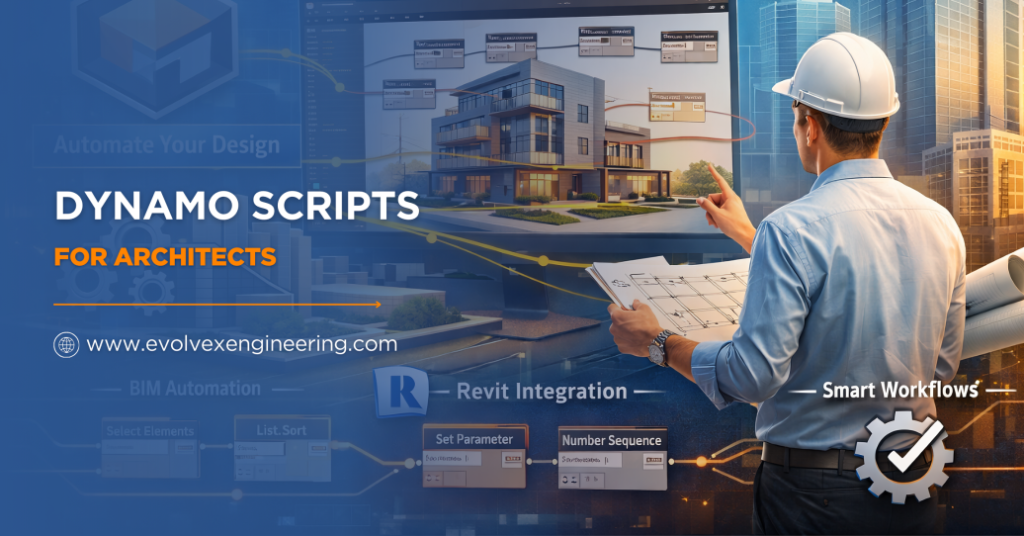
Dynamo is a visual programming tool that works with Autodesk Revit. It allows architects to automate repetitive tasks, apply logic-driven rules, and manage large models efficiently. Instead of spending hours on manual updates, architects can use Dynamo scripts to complete the same work in minutes.
This blog guide, “Dynamo Scripts for Architects”, explains Dynamo clearly and simply, so even beginners can understand and apply it confidently.
What Is Dynamo in Architecture
Dynamo is a visual scripting platform designed for architects, engineers, and BIM professionals. It uses nodes and connections instead of traditional coding, making automation accessible to non-programmers.
How Dynamo Thinks
Dynamo works on logic. It takes input data, processes it through rules, and produces output that affects the Revit model. This logic-based approach allows architects to control design behaviour rather than individual elements.
When we discuss Dynamo Scripts for Architects, we are referring to this intelligent way of interacting with Revit using structured logic instead of repetitive manual actions.
How Dynamo Works with Revit Architecture
Dynamo integrates directly with Revit and can interact with almost every architectural element. It can read model data such as dimensions, parameters, and locations, and it can also modify those elements automatically.
Data Flow Between Dynamo and Revit
Dynamo operates on a two-way data flow. It can extract information from Revit, analyze or modify it, and then write it back into the model. This capability makes Dynamo scripts for Revit architecture extremely powerful for large and data-heavy projects.
For example, Dynamo can rename hundreds of views, update parameters across multiple families, or generate rooms based on spatial boundaries – all in one run.
Why Architects Are Adopting Dynamo Rapidly
Architectural firms face constant pressure to meet tight deadlines while maintaining high-quality output. Manual modeling increases the chance of inconsistencies and errors, especially in large projects.
Dynamo reduces this pressure by automating rule-based tasks. Architects who understand Dynamo Scripts for Revit Architecture can work faster, maintain consistency, and focus more on design intent rather than technical repetition.
Everyday Architectural Tasks Dynamo Can Automate
Many architects believe Dynamo is only useful for complex parametric design. In reality, it supports many everyday tasks that consume time unnecessarily.
Dynamo can automate room creation, view organization, sheet setup, parameter updates, and data checking. Using Dynamo scripts for Revit architecture, architects can simplify daily workflows and reduce manual effort without changing how they design.
Also Read, CAD to BIM Automation
Dynamo Scripts for Architects Explained Through Practical Examples
Example-1: Automated Room Creation
In a residential or commercial project with many rooms, manual room placement takes significant time. Dynamo can detect enclosed spaces, generate rooms automatically, and assign names and numbers based on predefined rules.
Example-2: Parametric Façade Design
Architects often need to test multiple façade options. Dynamo allows parameters such as spacing, depth, and pattern to be controlled dynamically. This enables rapid exploration of design alternatives without rebuilding the model. These examples clearly demonstrate Dynamo Scripts for Architects in real-world practice.
Dynamo vs Manual Revit Modeling
Manual Revit modeling relies heavily on repeated actions. When design changes occur, architects must update elements individually, which increases the risk of errors.
Dynamo replaces repetition with logic. Once a script is created, it can be reused and adjusted easily. Architects using Dynamo scripts for Revit architecture can apply changes across the model instantly and consistently.
Do Architects Need Coding Skills to Use Dynamo
A common misconception is that Dynamo requires programming knowledge. In reality, Dynamo is designed for visual thinkers.
Visual Logic Instead of Code
Most Dynamo scripts use simple nodes connected visually. Architects who understand Revit concepts can learn Dynamo without any coding background. While advanced users may use Python for complex automation, beginners can achieve powerful results using basic tools. This accessibility makes Revit Dynamo Scripting for Architects suitable even for students.
Key Benefits of Dynamo for Architects
Dynamo offers several advantages that directly improve architectural workflows:
- Reduces repetitive manual work
- Improves BIM data accuracy
- Speeds up design changes and revisions
- Enhances consistency across drawings
- Saves time and project costs
The above benefits explain why dynamo scripts for Revit architecture are now widely adopted in professional BIM environments.
Using Dynamo Across Project Stages
Dynamo supports architects throughout the entire project lifecycle.
Concept Design Stage
At the concept stage, Dynamo helps architects generate massing studies, test site constraints, and explore parametric layouts quickly. This enables faster decision-making without rebuilding models.
Design Development Stage
During design development, Dynamo ensures consistency. It helps manage parameters, update elements across views, and maintain structured data. This stage highlights how Dynamo Scripts for Architects supports design accuracy.
Construction Documentation Stage
In documentation, Dynamo assists with schedules, data validation, and drawing consistency. It reduces rework and improves coordination with consultants.
Dynamo for BIM Quality Control
BIM quality directly affects project success. Poor data leads to clashes, coordination issues, and delays during construction.
Dynamo helps architects identify missing parameters, incorrect values, and naming issues early. By using Dynamo scripts for Revit architecture, teams can validate models before sharing them, reducing costly revisions later.
How Dynamo Saves Time and Cost
Automation directly impacts project efficiency. Tasks that take hours manually can be completed in minutes using Dynamo. This time saving leads to faster delivery and better use of resources.
Firms that understand Dynamo Automation for Revit Architecture often experience fewer errors, smoother coordination, and improved client satisfaction.
Common Dynamo Mistakes Architects Should Avoid
Beginners often struggle due to avoidable mistakes:
- Creating overly complex scripts too early
- Ignoring data structure and logic flow
- Not testing scripts properly
- Using Dynamo without understanding Revit behavior
Avoiding these mistakes makes Dynamo Scripts for Architects easier and more effective.
The Future of Dynamo in Architecture
Automation is shaping the future of architectural practice. Clients expect faster delivery, higher accuracy, and better coordination.
As BIM evolves toward digital twins and smart buildings, Dynamo scripts for architectural design will become even more valuable. Architects who invest in Dynamo skills today prepare themselves for future-ready roles.
Also Read, Revit Automation for Repetitive Documentation Tasks
Conclusion
Architecture is evolving, and automation is no longer optional. Dynamo empowers architects to control Revit intelligently, reduce manual work, and focus on design excellence.
By mastering Dynamo Scripts for Architects, architects gain speed, accuracy, and confidence in their workflows. Whether you are a student or a professional, learning Dynamo is a smart step toward a future-proof architectural career.